
Request asset support
Search for supported assets
Search the hundreds of assets supported by Porto from the mobile app by tapping Settings and then Supported assets. If the asset is not supported, you may submit an asset support request.
Note: You can self-custody all ERC-20 and SPL assets—including assets not shown in the app.
Go to Settings and tap Supported assets. Search and select the asset, then submit a request for new asset support if it is not supported yet.
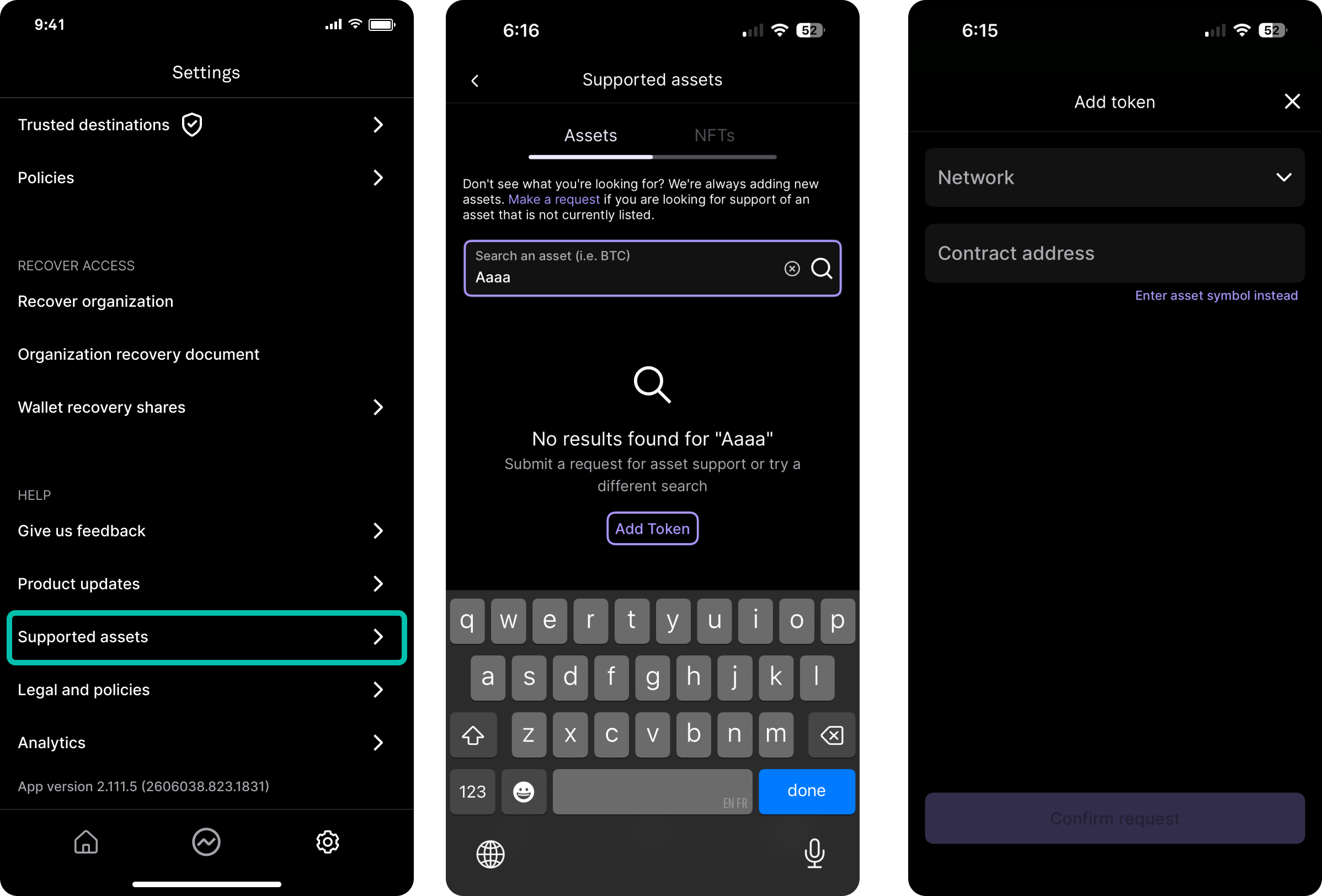
How to find a token's contract address
Block explorers are designed to allow users to view and search the blockchain for transactions, addresses, tokens, and other activities.
-
Visit the explorer corresponding to the token's network
- Aptos: https://explorer.aptoslabs.com/?network=mainnet
- Arbitrum: https://arbiscan.io/
- Base: https://basescan.org/
- Ethereum: https://etherscan.io/
- Optimism: https://optimistic.etherscan.io/
- Plume: https://explorer.plumenetwork.xyz/
- Polygon: https://polygonscan.com/
- Solana: https://solscan.io/
- ZKSync: https://explorer.zksync.io/
-
Search for the token using its name or symbol
Example: Basescan on desktop
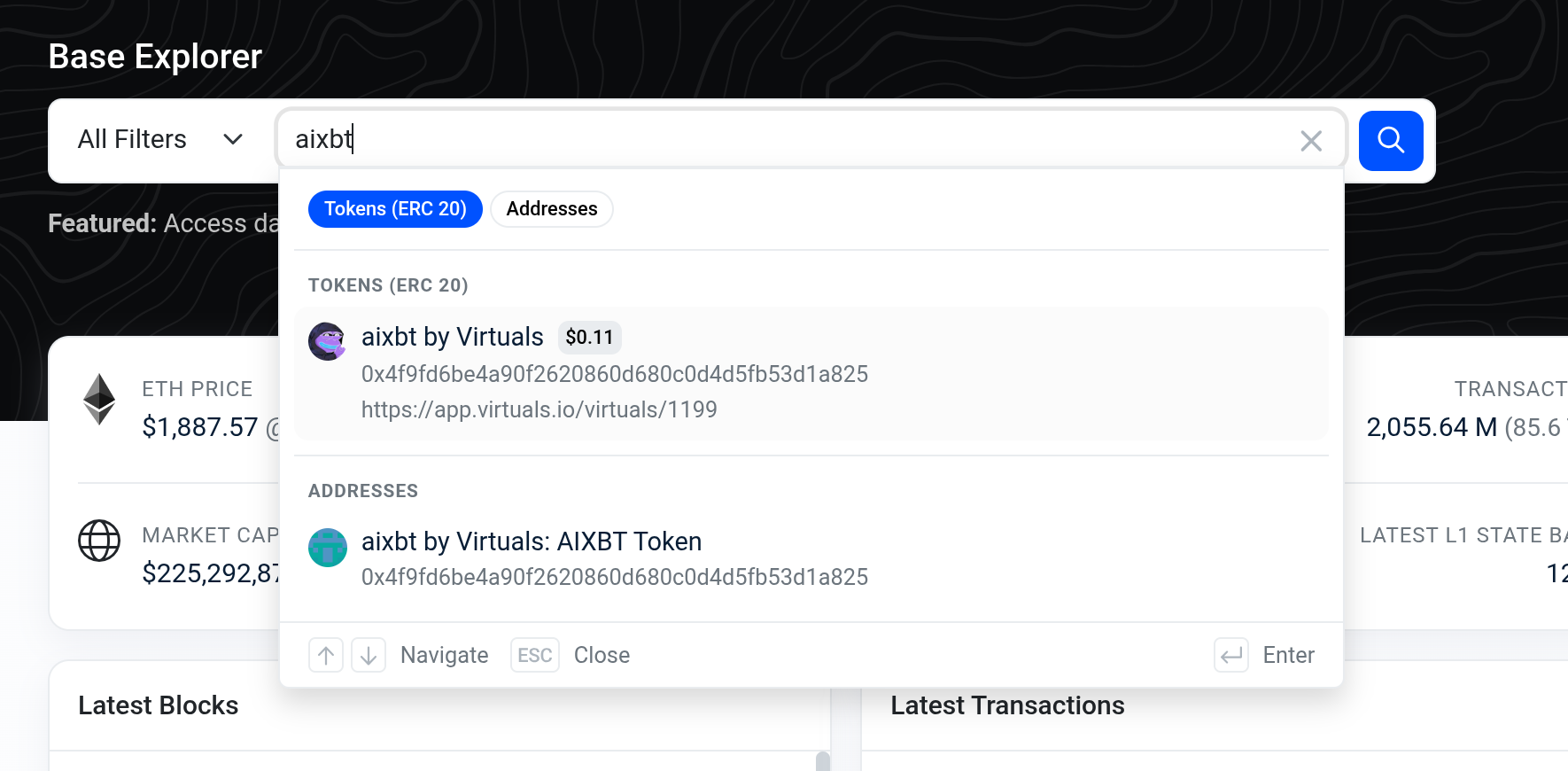
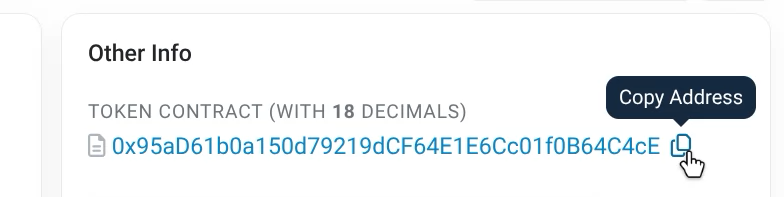
- The contract address will be clearly indicated on the token page
Example: Etherscan on desktop
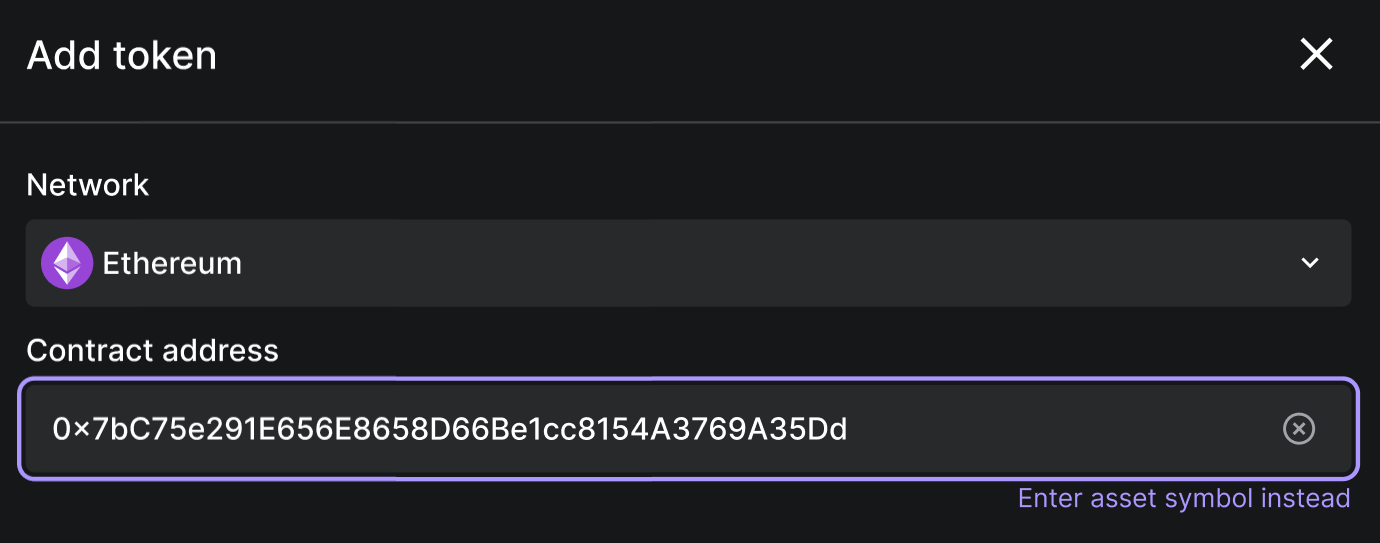
Having the token contract address allows you to add the token with ease on Porto - just paste the address into the Asset Support Request form.
Updated 4 months ago