
Remove user
Removing users
Tap the gear icon to get to Settings, then scroll down, and tap Team. Select the user you want to remove and follow the prompts.
After you submit biometric approval, the other administrators will get a notification to approve the operation. Once quorum is met, Anchorage Digital will review for approval.
Note: Only administrators with user management permissions can remove users.
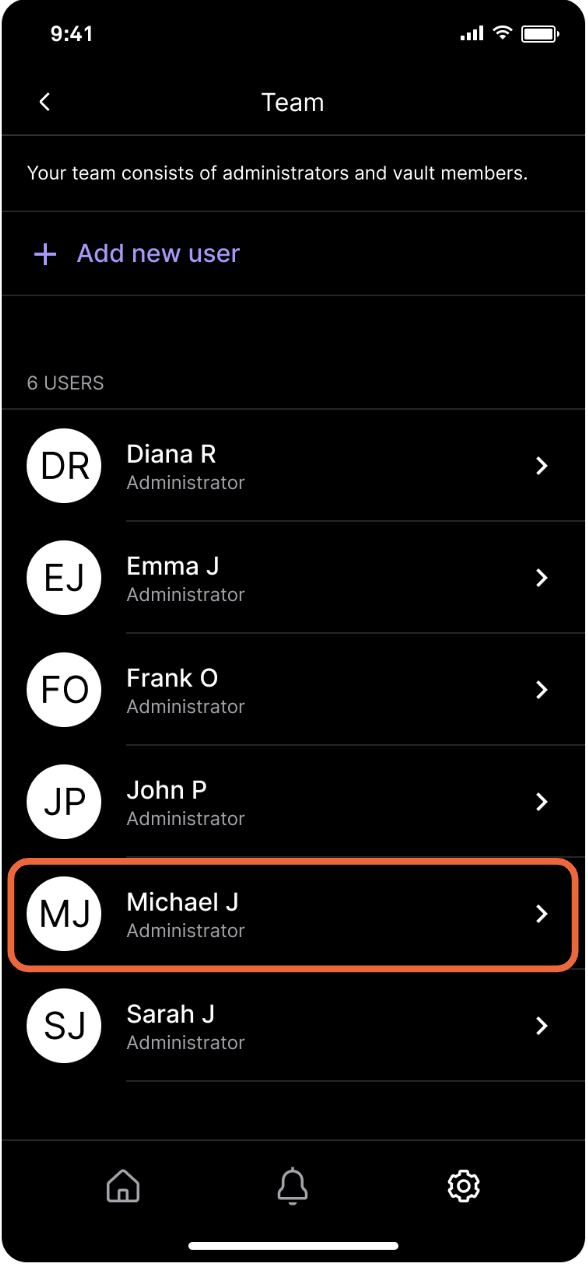
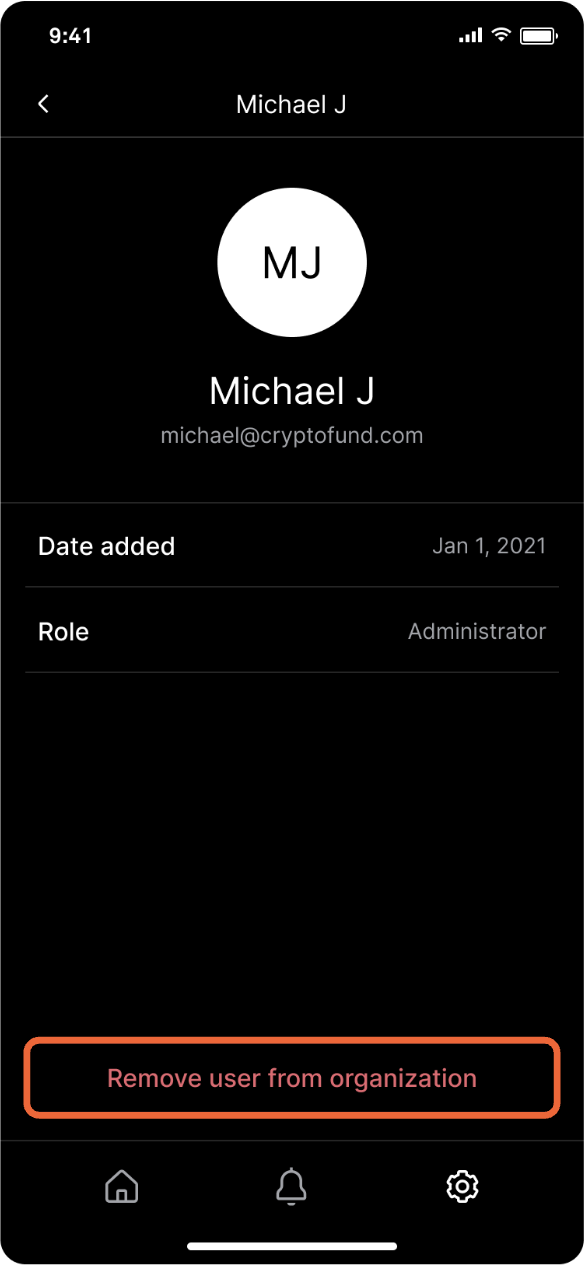
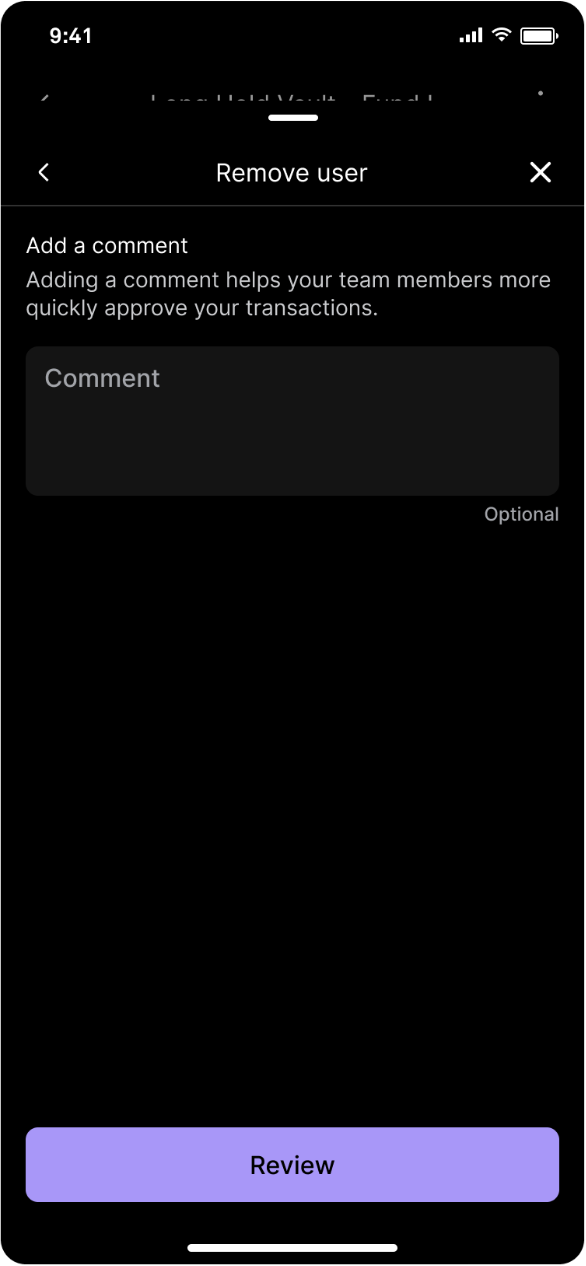
Tap the user you want removed, then tap Remove user from organization. Add a comment (optional) and tap Review.
Updated over 1 year ago
Did this page help you?