
Deposit
Create a deposit address
To receive a deposit, you need to create a deposit address for that asset. This process will create a new wallet and prompt you to download the encrypted wallet key. An encrypted wallet key can be decrypted and exported if the user chooses to import the wallet into another service provider.
Note: The encrypted wallet key is NOT sensitive unless decrypted. Only admins can decrypt the wallet key to import into another wallet service provider.
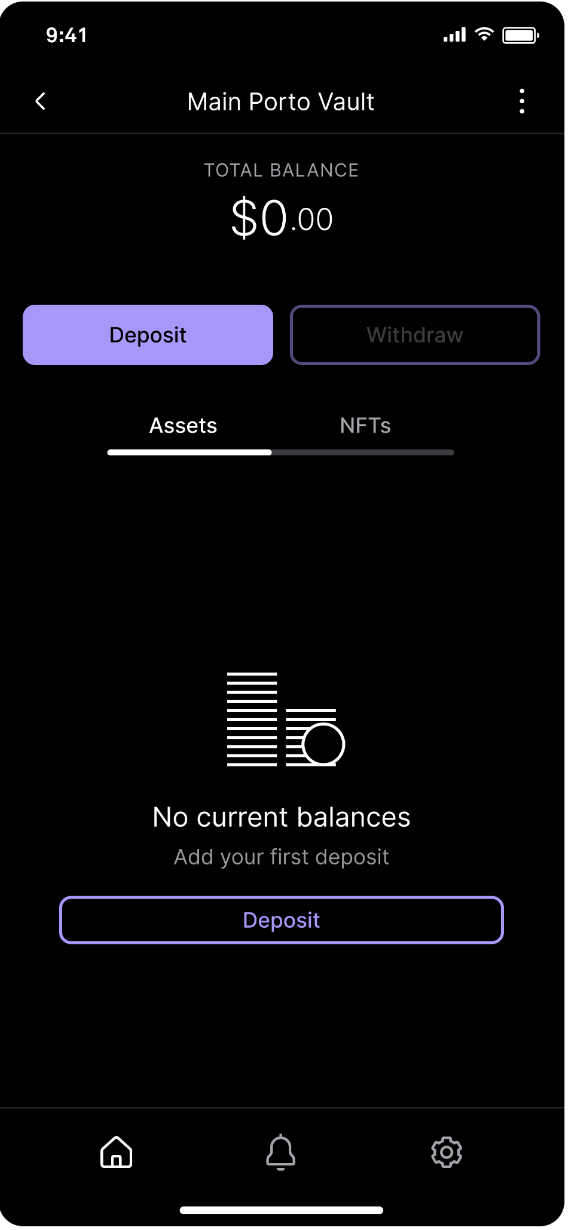
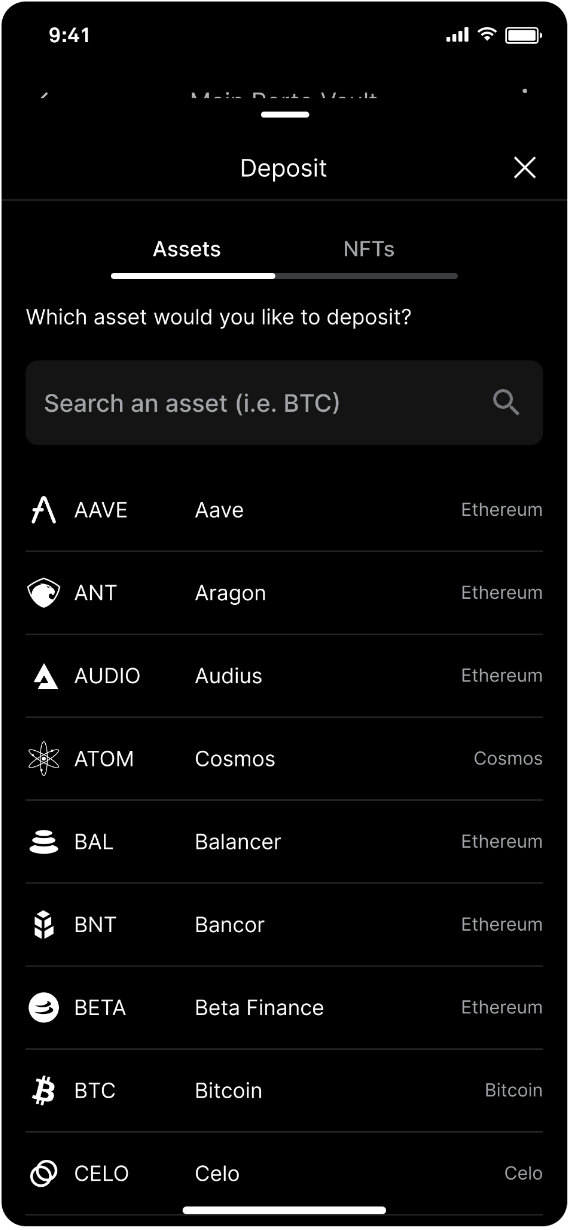
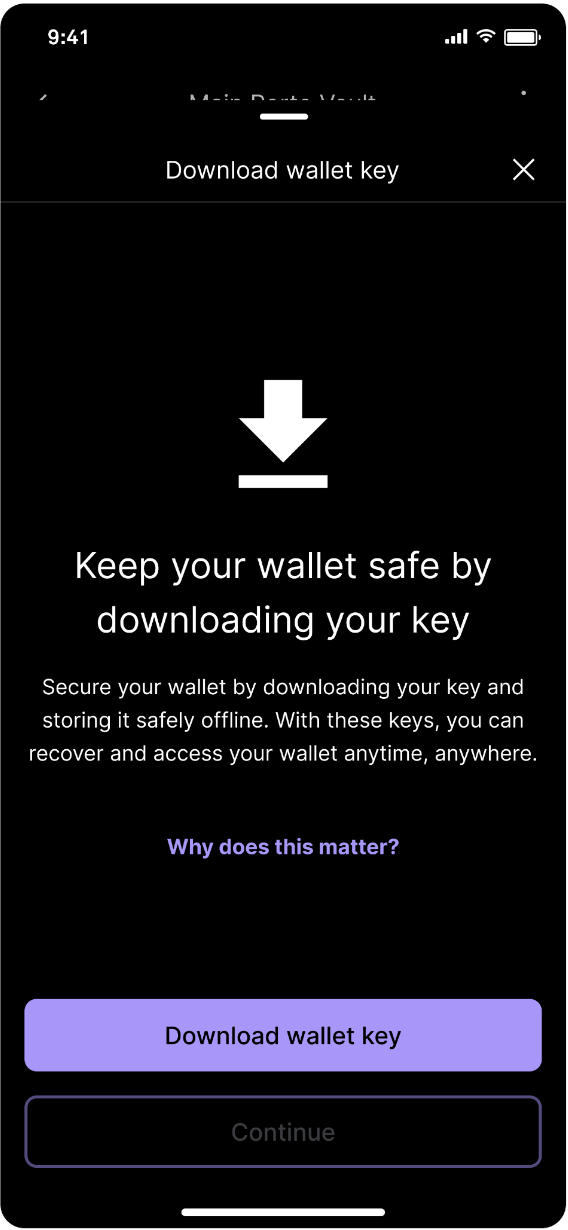
Go to the desired vault and tap Deposit. Select the asset. Tap Download wallet key or Why does this matter to learn more.
Download your encrypted wallet key
An encrypted wallet key can be decrypted and exported if you choose to import the wallet into another service provider.
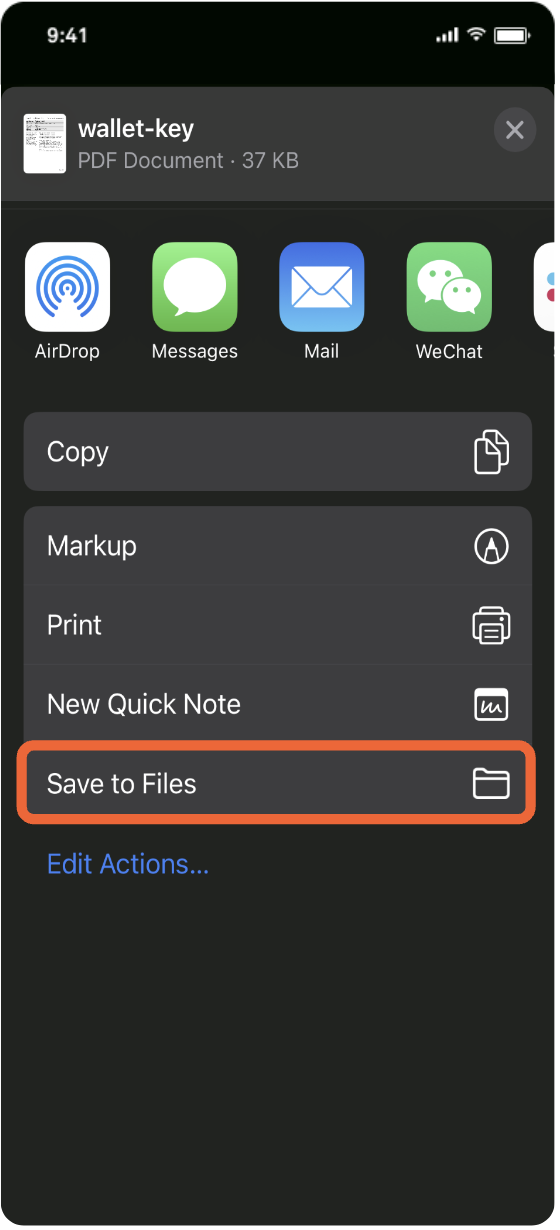
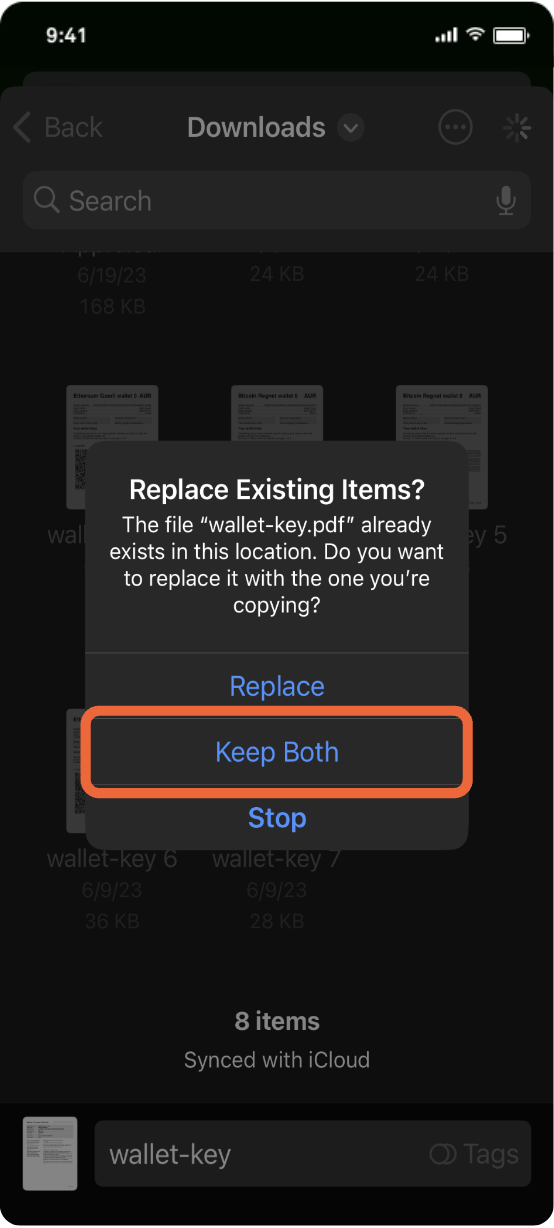
Choose your method of saving the encrypted wallet key. For this demo, tap Save to files. If you already have wallet keys downloaded, select Keep both and rename them.
After you have saved your wallet keys and tapped Continue, you can copy or share your deposit address.
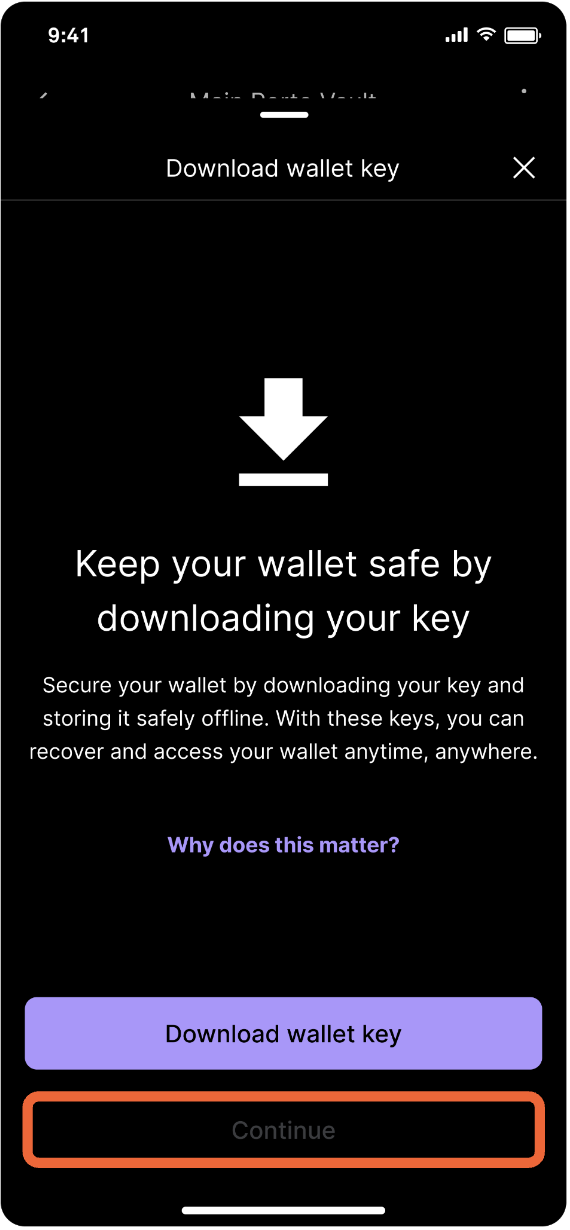
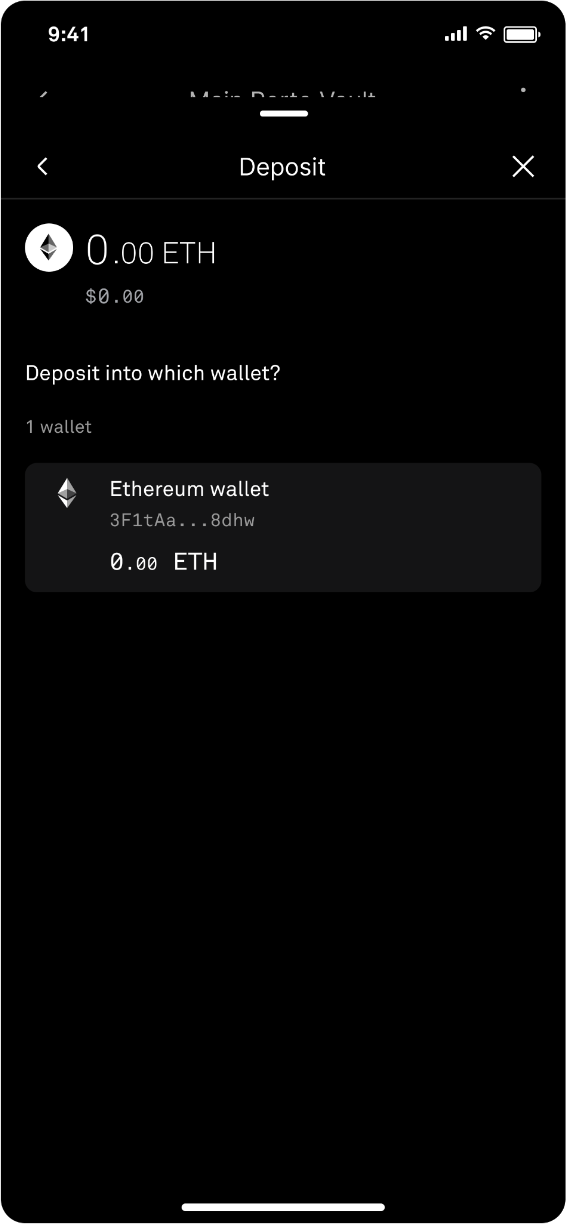
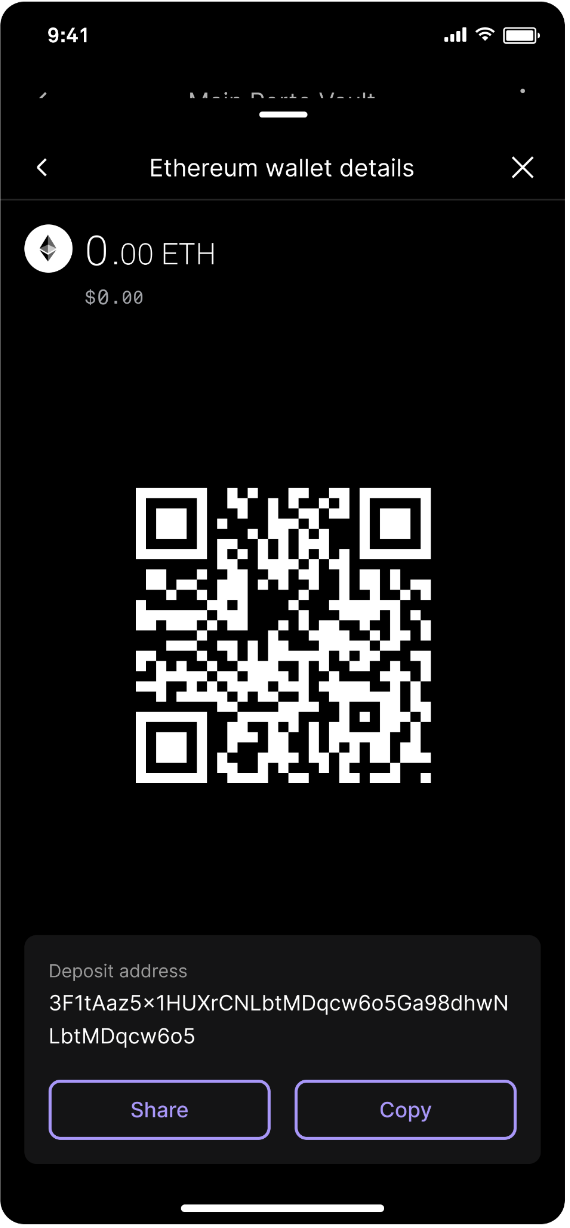
Once you have saved your wallet keys, tap Continue and you will see the wallet address created. Select the wallet, then copy or share your deposit address.
Updated about 1 year ago