
Trusted counterparties
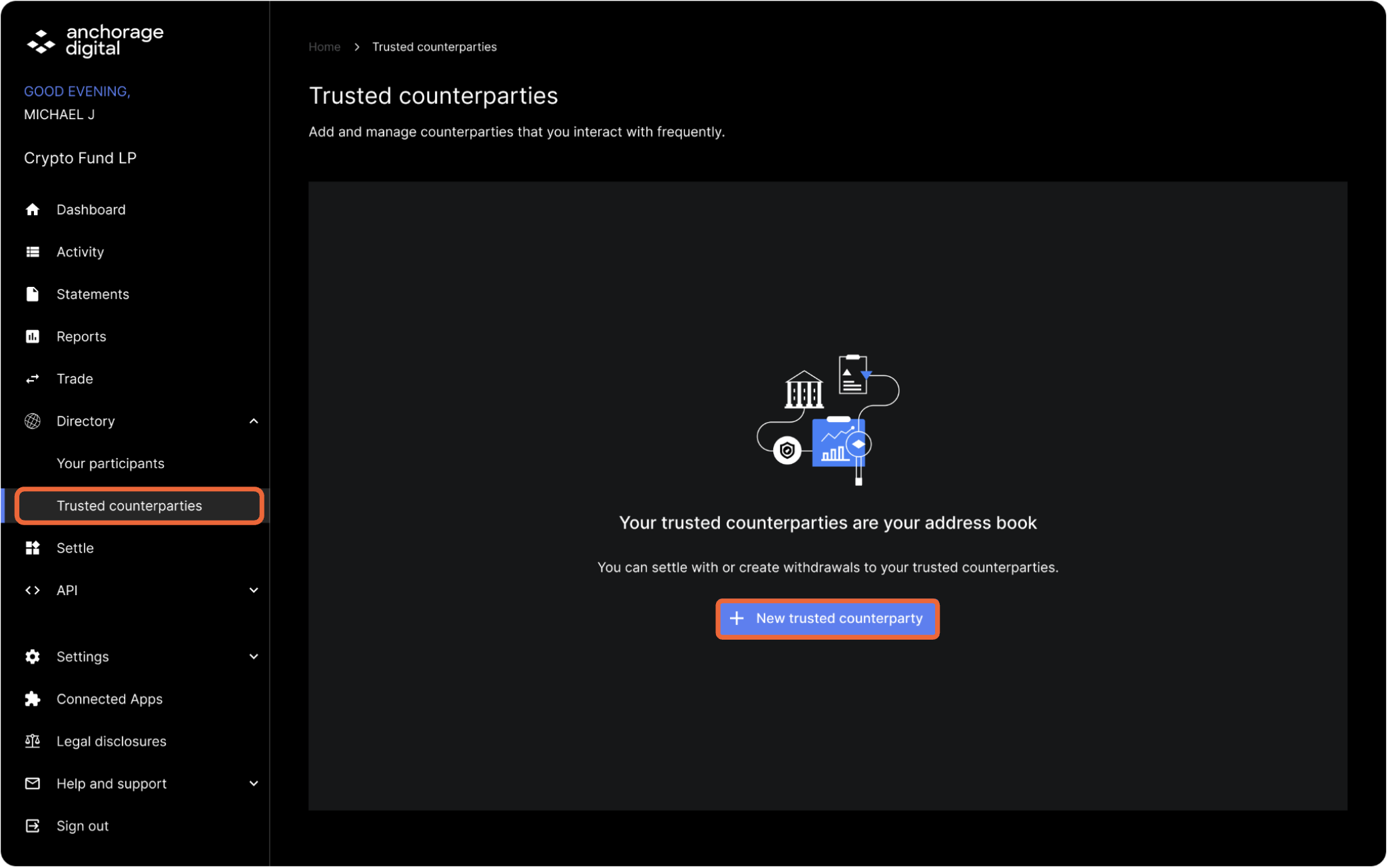
Under Trusted counterparties in the web dashboard, select New trusted counterparty to add participants.
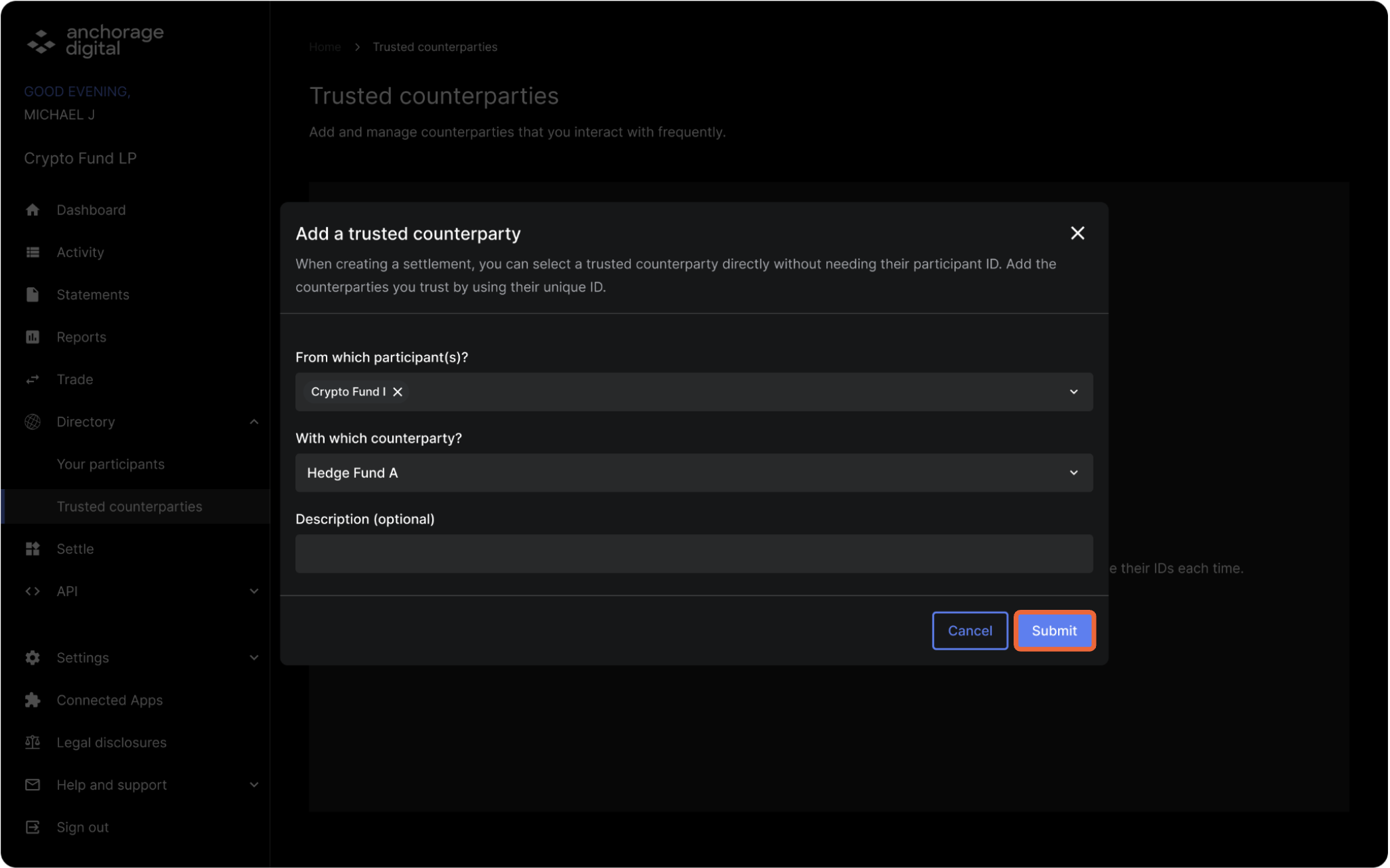
Select the participant you would like to add as a trusted counterparty and search the counterparty by their participant ID. Add a description (optional) and select Submit. After selecting Submit, quorum approval will be required within the iOS app.
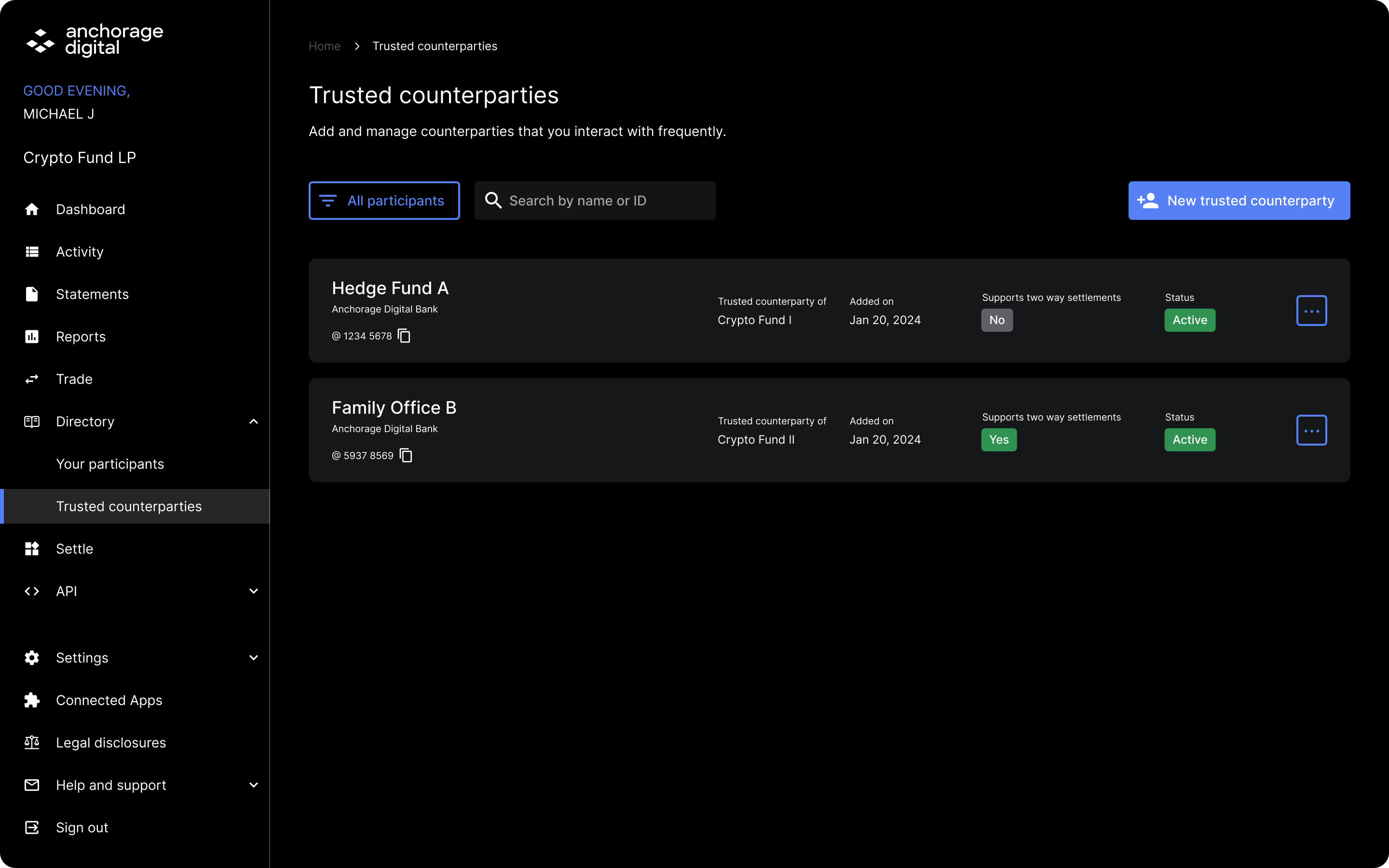
Review trusted counterparties
Review the status of your trusted counterparties. Select the three dots to deactivate it, if needed.
Updated 4 months ago
Did this page help you?